Set Up a Job Seeker Account
Updated: Jul 15
This post begins a series of concrete steps for you to take toward finding a better paying job, the first major milestone of the ALRS! You should plan to spend about 15 minutes setting up an account with the economic development agency in your state; the links for all 50 states are provided at the bottom of this post, which will go through setting up an account with Minnesota’s CareerForce as an example.
Why Set Up an Account
Setting up an account like this gives you access to useful employment resources, helping you to assess your interest in and readiness for different careers. Additionally, it will connect you with resources for networking, resume writing, and job interview preparation. After all of that, this series will conclude with specific actions for applying to better paying jobs and eventually gaining one!
What to Do
If you’re a Minnesota resident, follow the example below. If not, go to the link for your state below and set up a similar account, referring to this example as needed. The exact account setup process will be slightly different by state.
Start setting up your CareerForce account by visiting the CareerForce homepage at https://careerforce.mn.gov/. In the upper right corner, click on Login or Register.
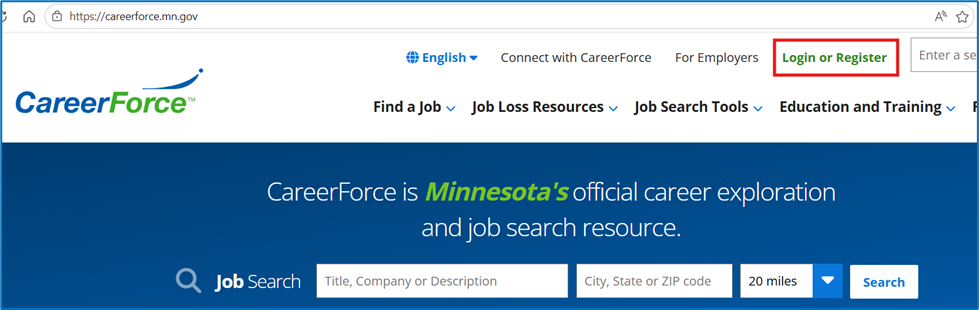
On the next page, note the benefits you gain from setting up an account and click on the Log In or Register with LoginMN button.


Click on the Create Account button to start the process of creating your LoginMN account. You’ll be asked to verify your e-mail address and fill in some basic information, as well as to choose a multi-factor authentication option. Getting this far plus completing all remaining steps should only take you a total of about 15 minutes.
In addition to the benefits mentioned on the account creation page, having a CareerForce profile will allow you to save assessment results and other information on your personal CareerForce dashboard. The next post will guide you through completing specific assessments and then saving them to and retrieving them from your personal dashboard.
Bottom Line
Take just 15 minutes to set up your account today – the benefits way outweigh the cost!
The next step on the roadmap: Using Your Job Seeker Account
Accelearnate is not officially associated with CareerForce, but cites the website often as an excellent resource for job seeking and career planning. Accelearnate aims to make job and career content from CareerForce and other sites easier for job seekers to effectively act on by providing curated step-by-step guidance for getting a better paying job and launching a successful career.
Websites for Job Seekers by State:
U.S. Department of Labor: https://www.dol.gov/agencies/eta/job-seekers
Alabama: https://workforce.alabama.gov/
Alaska: https://www.labor.alaska.gov/
Arizona: https://arizonaatwork.com/
Arkansas: https://dws.arkansas.gov/
California: https://www.labor.ca.gov/
Connecticut: https://workforcect.org/about-us/
Delaware: https://labor.delaware.gov/wdb/
Florida: https://www.floridajobs.org/office-directory/division-of-workforce-services/about-workforce-services
Georgia: https://dol.georgia.gov/
Hawaii: https://labor.hawaii.gov/wdd/
Indiana: https://www.in.gov/dwd/jag/
Louisiana: https://www.laworks.net/
Michigan: https://www.mitalent.org/
Minnesota: https://careerforce.mn.gov/
Mississippi: https://www.mdhs.ms.gov/workforce/
Missouri: https://jobs.mo.gov/jobseeker
Montana: https://wsd.dli.mt.gov/ and https://www.acceleratemt.com/
New Jersey: https://www.nj.gov/labor/career-services/
New Mexico: https://www.dws.state.nm.us/en-us
New York: https://dol.ny.gov/jobs-and-careers
North Carolina: https://www.ncworks.gov/vosnet/Default.aspx
North Dakota: https://www.jobsnd.com/
Oklahoma: https://oklahoma.gov/workforce.html
Rhode Island: https://dlt.ri.gov/individuals
South Carolina: https://jobs.scworks.org/vosnet/Default.aspx
Texas: https://www.twc.texas.gov/
Washington: https://esd.wa.gov/
West Virginia: https://workforcewv.org/job-seeker/
Wisconsin: https://dwd.wisconsin.gov/det/
Wyoming: https://dws.wyo.gov/individuals/
The next step on the roadmap: Using Your Job Seeker Account